
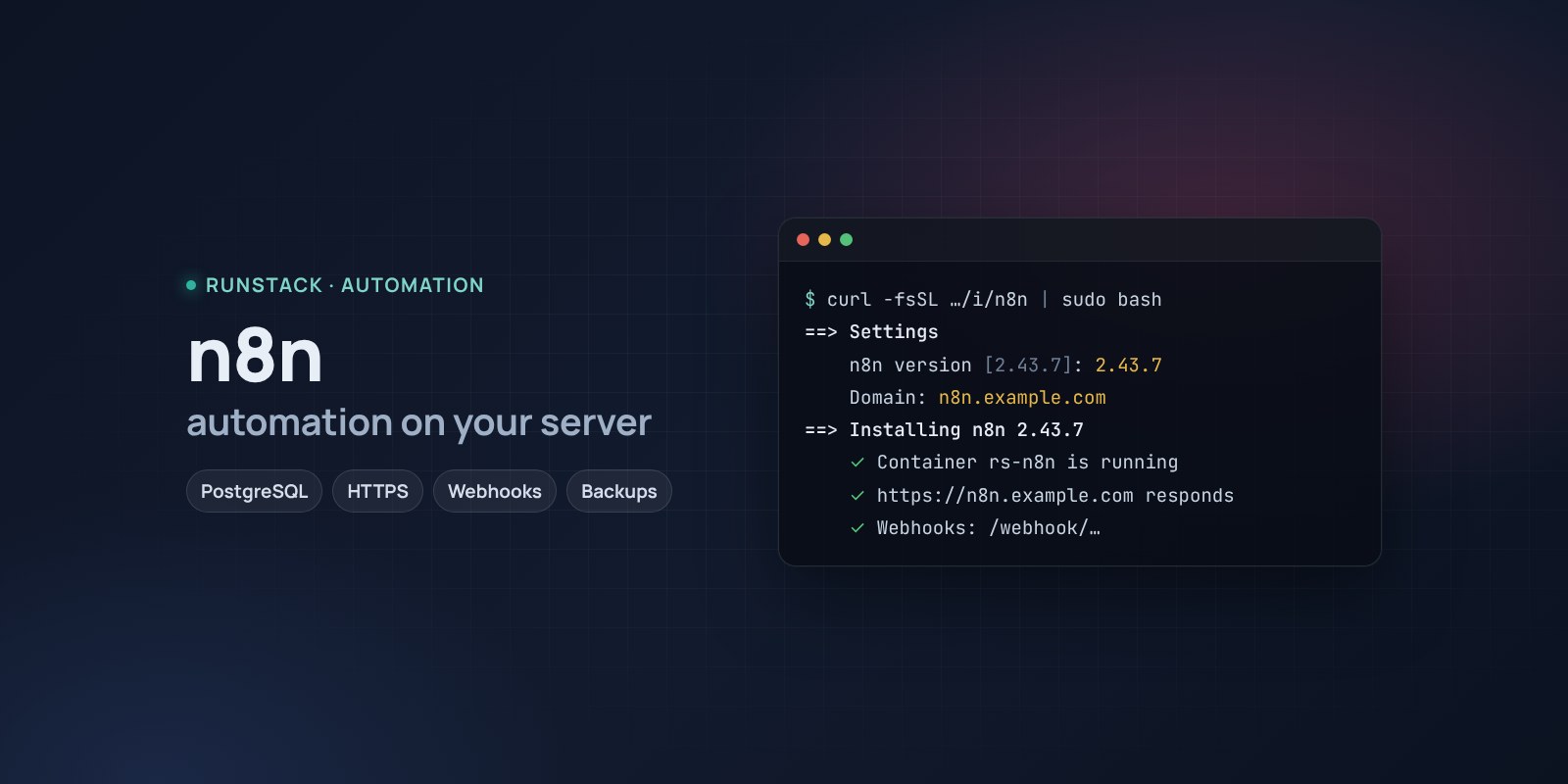
n8n — workflow automation on your own server
n8n with PostgreSQL in one command: HTTPS, webhooks, schedules, backups, access from your IPs only. No execution limits and no per-run fees.
 Ubuntu
 Debian
 Docker
Website lead → CRM → Telegram message. New file in the cloud → processing → email to the client. An AI reply to an incoming email. Such chains are usually built in Zapier or Make, paying for every run.
n8n does the same in a visual editor: hundreds of integrations, webhooks, schedules, AI nodes, your own JavaScript or Python when needed. On your own server there are no execution limits, and data stays with you.
What you get
- n8n 2.43.7 — the latest stable version. You can pick another one during install.
- PostgreSQL instead of an SQLite file — reliable for workflows and execution history.
- Your own address with HTTPS — a Let's Encrypt certificate is issued and renewed automatically. Webhooks work right away at
https://your-domain/webhook/…. - The credentials encryption key is generated and stored, the database password too.
- Backups with one command — database dump, n8n files and the encryption key in one archive, the last 14 kept.
- Access from your IPs only — office, VPN. Webhooks from outside are then closed too — keep that in mind.
- One-command upgrades: a backup first, then the new version.
Who it is for
- Anyone paying Zapier or Make per task and hitting the limits.
- Teams that cannot send customer data to external services.
- Internal integrations: CRM, email, spreadsheets, Telegram, ERP APIs, AI assistants.
How to install
- Prepare a server with Ubuntu or Debian. Point a domain's A record, e.g.
n8n.example.com, at the server's IP. - Copy the command from the Download block — it appears after you sign in. It contains your personal token, valid for 12 hours.
- Run it on the server and answer the questions:
Language / Язык (en / ru) [en]: en
n8n version (latest stable: 2.43.7) [2.43.7]:
Install directory (data, settings, backups) [/opt/n8n]:
Mode: public — your domain with HTTPS (Let's Encrypt), local — a port on this server for your own proxy (public / local) [local]: public
Domain (its A record must point to this server): n8n.example.com
Email for Let's Encrypt: admin@example.com
Allow only these IPs/subnets:
Time zone for schedules (Cron, Schedule Trigger) [Europe/Berlin]:
- Create the owner account right away: open
https://n8n.example.com. Until then, the first visitor becomes the owner. - Save the encryption key
N8N_ENCRYPTION_KEYfrom/opt/n8n/.envin a password manager — without it a restored database cannot decrypt saved credentials.
System requirements
| Minimum to run | With headroom | |
|---|---|---|
| OS | Ubuntu 22.04 / 24.04, Debian 12+ | Ubuntu 24.04 |
| CPU | 1 vCPU, amd64 or arm64 | 2 vCPU |
| Memory | 2 GB | 4 GB |
| Disk | 10 GB | 20 GB SSD |
The n8n documentation gives no exact figures: memory grows with the amount of data in workflows, binary files and Code nodes (n8n docs). The figures above are ours, for n8n together with PostgreSQL; the installer checks the minimum before installing.
- Root access (
sudo). Docker is installed automatically. - Domain mode: an A record pointing at the server and free ports 80 and 443.
- Access to Docker Hub. If it is blocked, add a mirror:
RS_REGISTRY_MIRROR=https://mirror.gcr.io.
Day-to-day commands
rs n8n status              address, number of backups, version and available update
rs n8n backup              backup to /opt/n8n/backups
rs n8n upgrade [version]   backup → new version (default: the latest stable)
rs n8n access "203.0.113.10, 10.0.0.0/8"   allow only these IPs (off — remove)
rs n8n stop | start        stop / start
rs n8n down                remove the containers, data stays
rs n8n purge               full removal step by step, backups are never deleted
Running the installer again is safe: workflows, credentials and the encryption key are kept, the version does not change.
FAQ
How much is it? The installer is free for now. n8n is under the Sustainable Use License: free for internal use, no per-execution fees; you may not resell n8n as a service.
Do webhooks work without a domain? In local mode set your proxy's address (N8N_PUBLIC_URL) — n8n uses it in webhook URLs.
Can I move workflows from n8n cloud? Yes: export them as JSON and import in the editor. Credentials have to be entered again.